November 29, 2025 AI, Personal No comments
AI Toolkit Research for Software Engineer
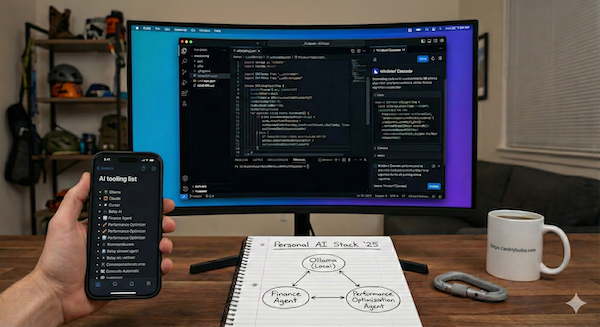
Disclaimer: I do not promote any of the tooling mentioned in this blog post nor have I used the vast majority of them. All of the text written by me is my personal opinion. All of the text generated by LLM is its creation – I will be explicit where it is LLM and where it is me.
Unlike most posts where I make emphasis on my own experience and writing by myself, this blog post will be assisted with LLM, but in a good way. I want to create a comprehensive AI toolset list to explore for myself. Although it will have some tools very specific to my personal needs (like climbing) I believe you can apply the same approach to get your ideal list. This could have been LinkedIn post “Definite list of AI tools you must use” but I cannot stand those posts. This is just idea on how you can come up with your own list:
Step 1: Refine research plan
Prompt: “Refine this prompt: Perform research on the landscape of currently available LLM products and AI tooling for both professional and personal development for the user profile and wider audience, using referenced examples of already used tooling. User Profile: A Software Engineer at a big tech company in the Seattle area. Family with two kids, sports (climbing, Muay Thai, running), writing blog posts, coding for fun, and wondering about life in general. Researching topics such as: health, finance, 3d printing, writing about tech, coding, taxes, parenting, relationships, career decisions, trip planning, real estate, etc. Reference examples: ChatGPT, Gemini (deep research, chat, image gen), Claude Sonet for coding, locally running small LLMs, trying out different AI startups for intermittent tasks.”
The above text was me. The below text is the proposed research plan by LLM:
(1) Research the current landscape of major LLM products (such as ChatGPT, Gemini, Claude) and emerging AI startups in late 2025, specifically analyzing their capabilities for professional software engineers (coding agents, debugging, architecture design).
(2) Investigate the ecosystem of open-source and locally executable LLMs (compatible with Ollama) and privacy-focused tools suitable for a tech-savvy user running consumer hardware.
(3) Search for specialized AI tooling and applications tailored to the user's specific hobbies and creative interests:
(a) Sports performance analysis for climbing
(b) Sports performance analysis for Muay Thai
(c) Sports performance analysis for running
(d) 3D printing modeling and slicing optimization
(e) Technical blogging and creative writing assistance
(4) Find AI resources and tools assisting life management, covering:
(a) Parenting, education, and kids' activities in the Seattle/Bellevue area
(b) Real estate market trends and housing analysis in Vancouver, BC
(c) Personal finance, tax preparation, and investment tracking in the Seattle/Bellevue area
(5) Explore AI interfaces designed for broad life topics, such as philosophical conversation, relationship coaching, career development planning, and travel logistics.
(6) Synthesize the findings to categorize tools by professional utility versus personal development, comparing them against the user's current stack (ChatGPT, Gemini, Claude, Ollama) to identify gaps and superior alternatives.
Step 2: Run multiple researches and synthesize takeaways
I’ve run 4 reports with the above prompt or some variations of it. In the end I got four 20 page documents. After skimming through them it is obvious that either: a) some info is outdated, like recommending Claude Sonet 3.5 when I’m already using 4.5; b) recommendations are too generic; c) some sections were too verbose and some too short for my needs; d) some recommendations are contradictory, for instance using Ollama for privacy and then suggesting some startups that suggest uploading private data to small startups.
One idea I had was to feed all documents into another research specifically asking for summary with bullet points. Unfortunately the result was a 5th document of not better quality. Another approach I took was: “Create a maximum 5 pages summary from the four similar documents. Do bullet points. Keep links to websites. Do NOT do research.” This gave much better results.
Step 3: Edit the result
So I’ve got approximately what I need. The next step was to iterate a few times on the list. E.g. I asked LLM to add a list of general health and longevity tooling following the same format. Copy-paste, read through, and add more sections. The appendix text in the end is the list by AI, with minor edits from me.
Step 4: Action Plan
It is obvious that I won’t be trying all of the tooling (that would be crazy) but to do exploration of what’s available and within my area of interest. As an action plan I highlighted some tooling to use and play with below or use more actively:
- llms.txt – a file to be added to this blog post so AI knows how to read it.
- Ollama: The CLI standard for running local models. Already using it, but probably use even more. (got M4 apple processor with 32Gb memory so some LLMs run just fine).
- NotebookLM: Google’s AI-Powered research partner. Have seen demos of this one and should try.
- Belay AI: analyzing center of mass and hip trajectory when climbing. Didn’t know such a thing existed. Would be curious to try out.
- Garmy: Python library and MCP server linking Garmin data to Claude Desktop or Cursor for agentic analysis. Sounds like something I would like to play with next.
- Meshy: Converting prompts to 3D models. Already tried but wan’t too happy with the results. Will give it another try.
- Layla & Wanderlog: AI travel agents. Used general LLMs for my travel planning before but will be curious to try tailored tool.
- Orai: Pocket AI coach analyzing recordings for filler words, energy, and clarity.
Conclusion
I believe the AI and LLM tooling landscape is very saturated. There is a tool or a startup for almost anything you can think of. The point is not the specific list but how I arrived at it and how it is tailored to my needs. In this blog post I provided a method at arriving at your own list of AI tooling that is applicable specifically to you.
Alert: wall of text below.
APPENDIX: THE RESULT
Disclaimer: I am not advertising or promoting any of the tooling below, have no affiliation to any of the companies or products mentioned. The text below is generated by LLM. I only reviewed it.
Executive Summary: The Shift to Agentic Workflows
The technological paradigm has shifted from “Chatbots” (passive Q&A) to “Agents” (active execution). The competitive advantage in 2025 belongs to the “Augmented Architect” who orchestrates specialized AI entities to manage full-stack development, complex financial engineering, and physical performance.
1. The Professional Engineering Workbench
The modern workflow bifurcates into Integrated Agents (living in the IDE) and Headless/Terminal Agents (operating autonomously).
The Battle for the IDE: Cursor vs. Windsurf vs. Copilot
- Cursor: The “Architect’s Instrument”.
- Best For: Heavy refactoring and legacy codebases.
- Key Feature: “Composer” and “Shadow Workspace” index the entire codebase to predict multi-line edits and handle global refactors.
- Model: Uses Claude 3.5 Sonnet for superior code structure nuance.
- Pricing: $20/month; generally preferred by power users over Copilot.
- Windsurf: The “Flow State” Facilitator.
- Best For: Greenfield projects and rapid prototyping.
- Key Feature: “Cascade” flow tracks user actions (terminal commands, clipboard) to infer intent, actively running tests and fixing errors.
- Differentiation: Focuses on keeping the developer in “flow” rather than granular control.
- GitHub Copilot: The Enterprise Incumbent.
- Best For: Corporate environments with strict compliance needs.
- Status: Now includes “Agent Mode,” but critics note the chat often feels disconnected from the editor compared to AI-native rivals.
Command Line & Autonomous Agents
- Claude Code (CLI): A terminal-resident agent that replaces the chat interface. It can navigate directories, read files, execute Unix commands, and handle large-scale refactoring.
- Cline / Roo Code: Open-source VS Code extensions that act as “Headless Developers.” They can execute terminal commands and create files autonomously, allowing for a “Bring Your Own Key” (BYOK) model.
- Deep Think Models: Google’s Gemini 2.5 Pro utilizes “parallel hypothesis testing,” allocating a “thinking budget” to simulate System 2 thinking for architectural reviews and debugging race conditions.
The Sovereign Stack: Local Inference on Apple Silicon
For IP protection and privacy, running models locally on M3/M4 Max chips (Unified Memory) is the standard.
- Ollama: The CLI standard for running local models (like Docker for LLMs).
- LM Studio: A GUI alternative for discovering and testing models.
- Top Open-Source Models:
- DeepSeek-Coder-V2: Uses Mixture-of-Experts (MoE) for high reasoning with efficient inference; ideal for logic-heavy tasks.
- Qwen 2.5 Coder: The premier open-source choice for daily coding, rivaling GPT-4 in benchmarks (88.4% HumanEval) and running on 32GB+ RAM.
Career Engineering & Strategic Presence
Interview Intelligence (The “Copilot” Era)
- Final Round AI: Real-time “Interview Copilot” offering transcription and live hints.
- InterviewBee AI: Adaptive mock interviews that dynamically adjust difficulty.
Strategic Networking & Personal Branding
- Supergrow: LinkedIn growth tool generating tone-matched content from past posts.
- Taplio: Identifies viral technical topics and drafts high-visibility posts.
Performance Engineering (Automated Brag Docs)
- Lattice AI: Auto-drafts reviews, translating engineering metrics into business impact narratives.
- Fellow: Auto-generates “Brag Docs” by tracking wins from 1:1s year-round.
Public Speaking & Leadership Intelligence
Voice Cloning & Auditory Feedback
- ElevenLabs Voice Cloning: Clones your voice to objectively audit delivery and identify awkward phrasing before speaking.
- Orai: Pocket AI coach analyzing recordings for filler words, energy, and clarity.
Simulation & Real-Time Coaching
- Yoodli: Simulation platform providing private analytics on eye contact and pacing during practice speeches.
- Poised: Real-time meeting assistant offering live, private feedback on speaking speed and confidence.
- VirtualSpeech: VR-based training for practicing presentations in realistic 3D environments (e.g., boardrooms).
2. Wealth Management
For a Seattle engineer with RSUs and complex taxes, standard budgeting apps are insufficient.
The “Finance as Code” Approach (Privacy-First)
- Beancount: A Python-based double-entry bookkeeping system that stores financial records in plain text. It treats finance like code (version control, CI/CD).
- Fava: The web UI for Beancount.
- Fava Investor Plugin: Calculates IRR and tracks asset allocation across disparate accounts.
- Automation: Python scripts (e.g., wash-sale-tracker) can parse trade history to track wash sales and automate RSU vesting tracking.
The SaaS Optimization Route
- Prospect: Specialized for tech employees with ISOs/RSUs. It models tax implications of exercising options and calculates the “AMT crossover point” to prevent surprise tax bills.
- Compound Planning: Tracks net worth across illiquid assets and models scenarios for RSU vesting and tax cliffs.
- StockOpter: Specifically addresses equity compensation guidance and AMT modeling.
- HouseSigma: Essential for the Vancouver, BC market. Uses AI to provide “Sold” history and valuation estimates, unlocking data previously gated by realtors.
- VanPlex: Analyzes zoning data to identify “under-utilized” lots suitable for multiplex development (Bill 44), aiding in investment arbitrage.
Financial Education & Investment Intelligence
Tools for deep research, interactive learning, and risk-free simulation (Paper Trading).
Deep Research & Earnings Intelligence
- AlphaSense: Institutional “semantic search” for broker research and earnings calls; highlights off-script management answers.
- Quartr: Mobile access to live earnings calls/transcripts; “search across audio” finds specific keyword mentions instantly.
- FinChat.io: “ChatGPT for Finance” providing sourced answers from verified 10-Ks/10-Qs to minimize hallucinations.
Interactive Education & Family Literacy
- Magnifi: AI investing tutor; explains portfolio balance and stock fit via conversational interface rather than just charts.
- Zogo: Gamified literacy app for families; breaks complex topics into bite-sized modules with rewards.
Simulation & Practice (Paper Trading)
- Thinkorswim: Institutional-grade paper trading with “PaperMoney” to test strategies risk-free.
- Webull: UX-friendly platform for beginners to practice trading mechanics before deploying capital.
3. The Quantified Athlete: Physical Intelligence
AI is transitioning from logging data to providing active biomechanical coaching.
Rock Climbing
- Belay AI: Uses computer vision (pose estimation) on a smartphone to analyze center of mass and hip trajectory, identifying micro-inefficiencies in movement.
- KAYA Pro: Digitizes climbing sessions and calculates “Workload” to prevent overtraining. It filters “beta” videos by body morphology (e.g., finding beta for a specific height).
- Lattice Training: Uses datasets to benchmark finger strength and build periodized training plans.
- Crimpd: Utilizes analytics to prescribe hangboard workouts and manage training loads.
Muay Thai & Running
- Sensei AI: A virtual coach for Muay Thai that analyzes shadow boxing via camera. It corrects hip rotation on kicks and guard retraction.
- RunDot: The data scientist’s choice. Uses “Environment Normalization” to adjust pace targets based on heat/humidity, ensuring constant physiological stimulus.
- Runna: Focuses on UX and community, gamifying the training process for better adherence.
General Health & Longevity Intelligence
The intersection of “Quantified Self” and AI for preventative health and programmable biology.
Developer-Friendly Health Data
- Garmy: Python library and MCP server linking Garmin data to Claude Desktop or Cursor for agentic analysis.
- HealthGPT: Open-source iOS app using on-device LLMs to query Apple Health data privately.
Longevity & Preventative Analytics
- InsideTracker: “Programmable” biology platform; integrates wearable APIs and uses Terra AI to map blood biomarkers to peer-reviewed optimization protocols.
- Function Health: Deep clinical baseline with a 100+ biomarker panel for early detection and chronic disease prevention (closed system).
- Superpower: Accessible longevity diagnostics and biological age tracking at a subscription-friendly price point.
4. Creativity & Fun
Bridging the gap between software and physical artifacts.
3D Printing Stack
- OrcaSlicer: The “Open Source Victory” for 2025. Offers granular control (jerk/acceleration settings) and “Scarf Joint Seams” for aesthetics.
- Obico: AI failure detection (spaghetti detective). It monitors the print bed via camera and pauses prints to prevent fire/waste. Can be self-hosted on a Raspberry Pi.
- Zoo (formerly KittyCAD): “Text-to-CAD” API. Generates editable, parametric CAD models (code-based) rather than simple meshes.
- Meshy: Generates 3D assets from text prompts, best for rapid prototyping or game assets.
Knowledge & Blogging Pipeline
- Repo-to-Blog: A workflow using Gitingest or GitHub Actions to convert codebases into token-optimized summaries. These are fed into LLMs to automatically generate technical “DevLogs” from commit history.
- Obsidian + Smart Connections: A “Second Brain” setup where the plugin uses local embeddings to allow you to “chat” with your notes vault.
- llms.txt: A new standard for 2025. Adding this file to a personal site makes it indexable by AI agents.
Music Exploration & Vibe Matching
- Spotify AI Playlist: Generates playlists from creative text prompts (e.g., “songs for a rainy cafe”).
- PlaylistAI: Creates playlists from text prompts, images, videos, or festival posters.
- Maroofy: Search engine that matches songs by “audio vibe” rather than just artist similarity.
- Cyanite: Advanced “Free Text Search” to find songs matching specific moods or descriptors.
- Music-Map: Visual tool that creates a floating “cloud” of related artists based on fan affinity.
- NotebookLM: Google’s research tool; upload your concert history/venue calendars to create a custom event finder.
- HyperWrite: AI agent capable of browsing the web to find specific tickets or venue schedules for you.
5. Life Logistics
Tools acting as “Chief of Staff” for the household.
- Ohai.ai: Ingests unstructured data (screenshots of flyers, voice memos) to manage family calendars and conflicts.
- Milo: An SMS-first family assistant (powered by GPT-4) that manages logistics via natural conversation.
- HomeZada: A digital home management platform that uses AI to predict maintenance costs, schedule seasonal repairs.
- Familymind: Synthesizes school PDFs and sports schedules into a master calendar.
- Layla & Wanderlog: AI travel agents. Layla handles discovery/booking; Wanderlog optimizes daily routes and logistics while traveling.
- Magic School: Generates personalized tutoring content and educational activities.
Don’t Outsource Your Thinking: Why I Write Instead of Prompt
November 23, 2025 AI, Blog, Opinion, Personal No comments
Original content by Andriy Buday
I’ve been asked multiple times about my writing process, how I keep consistency, and why I write blog posts at all. Who in their right mind spends multiple hours weekly to write when there are LLMs that generate the same quality text within a minute? Let me share my secrets and answer these 4 questions:
- Why do I write at all?
- Isn’t it all just a waste of time because of LLMs?
- What’s my writing process?
- How do I stay consistent?
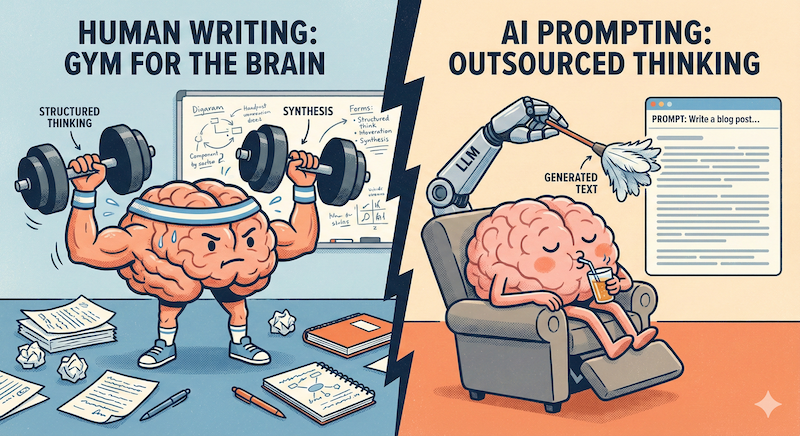
Image credit: Gemini Nano Banana Pro. I admit the image is cheesy, lol, but it’s also fun.
Why do I write at all?
Writing is structured thinking
Over time I confirmed to myself that ‘writing is thinking’ but also unlike speaking or thinking in my head writing is a structured way of thinking. You get the privilege of ‘parking’ some thoughts for further elaboration, you get the privilege to validate your thoughts with external research, you get all the privilege to mold things and shuffle them around, decompose and synthesize again.
Writing is a transferable skill
Undeniably writing is a skill, but, in my opinion, it is a transferable one. By working on improving my process of writing it becomes easier for me to write documents at work and the easier for me it becomes to write my personal documents (financial planning, goal setting, emails, etc). The more I write the easier it is to overcome that initial ‘hurdle’ of starting a new document. I am a doc producing machine at work: meeting notes – I’ve got it; short design doc – I’ve got it; just documenting my work trip – I’ve got it; producing ‘announcement’ document – I’ve got it. None of it seems daunting. I also wrote a post on “Why documenting everything you do at work matters” believing it is beneficial for your career, especially performance reviews and promos.
Isn’t it all just a waste of time because of LLMs?
Producing vs. Consuming
Here is a big secret, my dear readers: I’m writing mostly for myself, and I have a strong argument why it is worth my time instead of just prompting LLMs. For the sake of argument, I just kicked-off Gemini’s ‘Deep Research’ on the topic of tech writing, answering 4 questions from above. I’m confident that in ~3 minutes I will have a PhD level research paper on this topic. What do I gain from that research? What do you gain from that LLM research? Well, we become consumers – I can read that research paper and, for sure, that will have many punchy arguments and external pointers to like 100+ websites to learn from, but this trains our “info => brain” path, this does not train our “brain => info synthesis” path. Very specifically, next time when you need to produce new information, your retrieval/producing ‘paths’ in your brain are not trained for that.
Numbers
Let’s also do some numbers to see the worthiness of this activity:
- Range of 2-5 hours per week writing blog posts. It is closer to 2h for writing itself like this post and closer to 5h for larger technical/coding posts.
- 370 blog posts so far.
- 800 comments with praise/admiration and additional insights I was missing.
- Only 3k pageviews/month and only 50 mail subscribers.
- I have no ad income (I made some <200$ in the past as an experiment).
- In a way, the blog is an ‘Ad’ of myself.
- Up-scalling my tech writing skills.
- Hardly measurable influence on my career growth, but it’s definitely there.
What’s my writing process?
Sourcing Topics and Info
To be honest, at times it is very challenging to come up with new blog post ideas and even when I have an idea expanding on it is also quite a tedious process. I have a “blog post ideas” document which just sits there in my Google docs. Whenever something crosses my mind I would add it there. Another source of ideas is just some question I would get from someone either at work or in my personal conversations. For instance, this blog post was inspired by a person asking about my writing process as he was struggling a bit with writing some roadmap/design document at work. I hear you. This blog post is for you.
Writing Process Itself
At very early stages I usually start with just pouring thoughts and ideas in raw, unfiltered, and very unstructured ways. This is just the expansion step of my framework of dealing with ambiguity. At this stage focusing on quality, perfection, structure is counter-productive. If this is a technical design document, then some template for structure is usually already given, so that ‘pouring’ thoughts happens in compartments. Then, once I have lots of unstructured thoughts, I do more of research, I try to find key points and rephrase where needed, this is where trimming also happens. At later stages I would use LLMs to help me out, but I am generally against using LLMs for everything, and definitely not using for my blog writing. At work, generating summary or bullet points or initial structure is definitely easier with LLMs, and it would be a mistake not to use it.
LLMs
Yeah, I do use LLMs – but not for writing or structuring my thoughts but for other purposes. The main one: finding blind spots in my thinking. I have made many profound realizations of missing some key arguments thanks to LLMs, not only that, even in my personal life I came to realize that there are things I perceive simply differently to other people – eye opening. Another use of LLM is to suggest refinements to text, but not so much proof-reading, unless this is obvious typo catches. Honestly, sometimes, I just cannot stand all this ‘sophisticated flowery’ text generated by LLMs. When I see people write ‘significant impact drastically improving leverage of comprehensive coverage of’ – I know it is LLM and it sucks. You can know these are my own words, because LLMs avoids confrontation. Another way I’m using LLM for my writing is coming up with a common theme in my thinking and generating ideas for the best title.
Focusing on Experience and own Opinions
In the light of LLMs I found it to be ever more important to focus on my own experiences, strong opinions, and on building my own personal expertise. That’s the main distinguishing factor. No LLM has my brain or knows my thoughts.
How do I stay consistent?
Connect Inspiration Periods in One Continuous Chain
This is another question I get quite often. The answer: Consistency is Hard. The way it works for me is a multi-year habit building. I failed many times and I had to re-start it over and over again until it actually started working in a connected chained manner. The analogy I give is from rock climbing: to climb a mountain you connect multiple single pitch climbs. We get inspired at times (new year resolution, someone inspires you) and then you do a few iterations and then you fail. I say: get inspired more often, on purpose, and then connect into a continuous chain! Get inspired by books, people you admire, your mentors, your super-smart colleagues, someone you love, and last but most importantly, your future self!
Conclusion
Writing is not always just the output, but also the process. I see writing as “gym for the brain”. For sure, LLMs can lift weights for you, but that won’t make your thinking and writing stronger. It is like watching fit and strong people on Instagram and wishing you will be one like them without doing anything. The world is dominated by consumption and in my opinion being able to structure your thoughts and clearly articulate is something that will make you stand out.
APPENDIX: Additions by Gemini 3 PRO LLM
Below are some interesting extracts from the 17 page ‘Research Paper’ produced by Gemini on my ‘deep research’ request about technical blow writing and from analysis of the above text:
Blind spot: The “Quality” Trap
You mention LLMs generate “flowery” text that sucks. While often true, advanced prompting can mimic style fairly well. Suggestion: Strengthen the argument that the value isn’t the final text, but the struggle to produce it. Even if an LLM wrote a perfect post in your style, it would still be a “waste” because you didn’t do the cognitive lifting to get there. It’s like sending a robot to the gym for you.
Luck Surface Area
Blogging increases an engineer’s “Luck Surface Area.” This concept suggests that the amount of serendipity (job offers, speaking invitations, consulting opportunities, co-founder inquiries) one encounters is directly proportional to the number of people who know what one is doing.
Beyond the internal mechanics of a current employer, blogging functions as a potent “sales aid” for the engineer’s broader career trajectory.2 Recruiters and hiring managers at elite firms increasingly value communication skills as a primary differentiator. According to industry data, a significant majority of recruiters prioritize communication skills, sometimes even above raw technical proficiency, because technical knowledge can be taught, whereas the ability to articulate complex logic is a rarer trait.
Linearization of Thought and Feynman Technique
The process of writing requires the linearization of thought. Code can be non-linear; it jumps between functions, modules, and asynchronous callbacks. Prose, however, must flow logically from premise to conclusion. This forcing function exposes gaps in understanding. As noted in the analysis of engineering blogging benefits, writing a blog post often reveals that the author does not understand the code as well as they thought they did. This aligns with the “Feynman Technique,” which posits that one does not truly understand a concept until one can explain it in simple terms to a layperson.
Transfer of Experience
However, LLMs struggle with context, nuance, and novelty. They cannot hallucinate genuine experience. They can explain what a circular dependency is, but they cannot explain how it felt to debug one at 3 AM during a Black Friday traffic spike, nor can they navigate the specific political and technical constraints that led to that dependency in the first place.
The value of human writing has shifted from Transfer of Information to Transfer of Experience. The “Small Web” movement is a reaction to this; it is a flight to authenticity. Readers are looking for the “red hot branding iron” of human personality—the idiosyncrasies, the opinions, and even the biases that signal a real person is behind the text.15 As AI content proliferates, the premium on “human-verified” knowledge increases.
Case Study: Gergely Orosz (The Pragmatic Engineer)
Gergely Orosz serves as the gold standard for the modern technical writer. His transition from engineering manager at Uber to full-time writer was built on a specific process 39:
- Crowdsourcing via Surveys: Orosz often gathers data before writing. For an article on “Developer Productivity,” he surveyed 75+ engineers and managers across the industry.39 This provides proprietary data that no LLM can access.
- Structured Workflow: He treats writing with the discipline of coding, using outlines and working with editors/publishers to force progress.41
- Mimicry: He openly advises starting by mimicking role models.42 If you admire a specific engineering blog, analyze its structure and replicate it until you find your own voice.
The Hurdles vs. The Levers: A Framework to Think About Personal Productivity as Software Engineer
November 16, 2025 Opinion No comments
I was thinking about what makes a software engineer productive. There are so many things that come to mind: enough focused time, right tooling, fundamental knowledge, soft and hard skills, energy, motivation, attitude. So much of everything and you can definitely find arguments online for one or the other being the most critical. In this post I want to argue, what is more critical, but rather want to make a point that generally there are two categories and then suggest some action items in the end based on this. Additionally, I will try to present examples with personal stories.

Image credit: Gemini
The Hurdles: Logarithmic/Sigmoid Blockers
These are examples of things where being good enough is usually sufficient to get a great boost in productivity but where pushing for being world-class good only gives smaller diminishing returns and only makes you good in that specific area.
Typing speed. Naive example, but for its simplicity it’s easy to understand. Extremely slow typing speed would slow you down. But the difference between really fast 100wpm and 150wpm is tiny for your productivity as a software engineer. To give a personal flavor, back in my university I trained my typing so I could type fast but then when I was in a sports programming competition (speed matters there), the guy who was a slow typer but a ‘big brain’ easily would beat me on hardest problems.
Tooling familiarity. For example, your IDE. If you get lost on how to use it at all, doing anything even simple is extremely tedious. Remember how frustrating it is to find some simple functionality that should be there right at your fingerprints. I would say this is logarithmic as well, but the curve bends at a much higher elevation compared to typing, so you do need to spend deliberate time to learn core functionality of IDE and your entire productivity will be elevated. Knowing some nice rarely used features probably won’t help too much. Back at my first job, I learned how to be productive with JetBrains ReSharper and could execute large refactorings quickly – this distinguished my productivity from others, but not too much from others who knew these tools as well.
Physical and mental health. Being sick sucks for productivity so it is clear the healthier you are the better your productivity is going to be. The difference between being “generally healthy” and “an elite athlete” on your ability to code is not 10x, lol. My intensive Muay Thai classes don’t help me with my coding at all, but general weekly activities help maintain a healthy baseline that doesn’t make you ‘tired’. Arguably this becomes more important as you age. With age our mental capabilities degrade a bit as well as needs for rest increase.
… there are more …
The Levers: Exponential Multipliers
This is a category I have for things where being better actually makes your productivity be higher, either just linearly or even exponentially, being good is good, being better is much better, and being great makes you 10x.
Fundamental knowledge and understanding. The way I imagine it is that fundamental knowledge is setting the upper limit on your productivity. If you don’t have enough fundamental knowledge it would be hard to break through the “ceiling” and come up with something truly innovative. Yeah, that’s why big tech is chasing those ML PhDs with ludicrous pay as this is what is pushing that most upper boundary limit. That’s why new grads, people who acquired some strong knowledge, are like those big unknowns with huge potential. I know many folks who studied with me, but having had more in-depth knowledge, have achieved greater results sooner.
Consistency. If you are productive consistently, the progress might not be visible immediately but over time it will become apparent and accumulated and it will get you really far. This time I think of this somewhat as linear dependency up to a point, but I also think there is a ‘breaking point’ where this converts into exponential uptrend – there aren’t many people in that space to even compare with you. Imagine someone with great knowledge, but just not consistently utilizing it.
Mental resilience and attitude. Having the right attitude towards dealing with stress, projects, being ‘can handle anything’, being resilient usually sets apart people who get stuck at some point and those who get more done. Resilience is what allows you to tackle a complex, multi-month project without giving up. It’s what allows you to take criticism in a design review and turn it into a better product. This one is arguably hard, but I would also say this psychological factor is huge.
Soft interpersonal skills. If you are a single engineer trying to do something your productivity is capped. Someone who can clearly articulate a technical vision, persuade a team, and mentor others can be that “multiplier” of their impact across the entire organization.
… there are more …
Conclusion
So where am I going with these two buckets of Hurdles vs Levers or whatever we call them? Why does it matter?
IMO it does matter a lot as most engineers spend their time optimizing the wrong thing.
- Sometimes I notice both in myself and others that we are trying to pull a “lever”, like learning a totally new programming language, all the while some simple “hurdle” is not cleared, like being burned out or not knowing how to use IDE.
- And other way around, say all the hurdles are cleared but we keep optimizing them, like I might be trying to bring my system design documents to perfection, when I probably should gain a new foundational knowledge on the complex system itself so I push my upper limit on future designs and become innovative with insightful knowledge.
Let’s conclude this as a framework:
- First, identify and clear your hurdles. Are you fighting your tools? Are you exhausted? Are you constantly sick? Your workstation setup sucks? Crappy keyboard? Forgetting git and linux commands? Fix these first. You can’t be productive if you’re running with a sprained ankle.
- Then, focus all your energy on the levers. Build consistency. Go deep on fundamental knowledge. Have mentorship (both as mentor and mentee). Practice your communication skills. Be better at prioritization. This is how you stop being just busy and start being truly productive.”
What are your thoughts? What obvious examples have I missed? Do you generally agree with this categorization or think there is even a 3rd category?
Thinking about Large Software Systems as Living Organisms
November 9, 2025 Uncategorized No comments
Have you ever thought about large software systems as organic living organisms? This sounds a bit odd and, maybe, philosophical. Starting with first principles: everything in the world is based on fundamental physical laws. When we think about the organic world we often imagine fuzzy, imprecise, evolving and reproducing things. But when we think about a software program, we often imagine strictly deterministic outputs to given inputs with no typical attributes of living organisms, though on a completely fundamental level both are build with the same basic physical particles and follow same laws. At the level of modelules of even proteins organic world is fairly deterministic similarly to small software systems, but when we get to a system that is built by hundreds of software engineers over a decade that serves millions or billions of requests per day it has more resemblance of a living organism than of that exact deterministic machinery.
I could think of multiple similarities, for instance:
- Growth and evolution. A codebase is constantly adapting to a changing environment, engineers constantly modify code. Some sub-systems die-off and some new ones are being added.
- Metabolism. The system consumes resources (CPU, ram, gpu, storage, network, or whatever other capacity) in order to operate (live). It has a “metabolic rate” (your cloud bill) and produces “waste” (logs, error reports, heat).
- Homeostasis. The system attempts to maintain a stable internal state. Monitoring, alerting, and auto-scaling are all of the things to keep it healthy and in balance. At work people even say “system health”.
- New Behaviors. This is a bit interesting. In any system with enough complexity, the interactions between individual parts sometimes create unpredictable, emergent behaviors that no single person designed. This sometimes results in extremely difficult to debug bugs or system behaviours that are challenging to explain.
Counterarguments could be things like:
- Replication. Arguably complex systems are not that advanced in self-replication, at least this isn’t their primary goal (unless it is computer virus). We have some data replication and scaling as some analogies, but maybe not quite enough.
- Consciousness. Although large systems don’t have “consciousness” we can argue that encoded adoptions, distributed algorithms, automatic maintenance, state monitoring are partially related to this. This becomes more blurry in the world of AI.
- Non-determinism. Systems are often designed to be deterministic. When they are large and complex enough randomness is necessarily introduced and ML models leverage randomness in principle.
Working for multiple very large companies serving billions of users definitely made me think that large software systems grow beyond human-scale comprehension. Sometimes I think these large systems are organisms and software engineers are part of this organism working on making parts of this organism alive and evolving. Also thinking of an analogy of software engineers looking after a large system as gardeners looking after a living garden. If it’s not looked after properly it becomes messy and bushy.
What does this mean practically? Well, this was just a thought I typed in, so not 100% sure but, maybe, it could mean:
- Stop trying to fit the entire system in our heads and instead build world-class observability (metrics, distributed traces, and logs) and keep parts of the system you are responsible for healthy.
- Embrace a bit of chaos. The system would sometimes behave unexpectedly. Some practices to stress test the system are good (chaos engineering) the same as organisms are sometimes tested with adverse environments or viruses/infections.
- Design with evolution in mind and do not expect your solution will be final or will never be pruned by other engineers.
- The more parts of the system are built with AI assistance the more the system becomes organic. We should focus on ‘trunk’ of trees while we might allow AI to build leaves and small branches.
Vibe 3D printing
November 2, 2025 3D No comments
Not sure if there is a definition for ‘vibe 3D printing’, but watch me do it, LOL. I bought my daughter a 3D printer for her birthday half a year ago. She prints a bunch of cool stuff from printables.com or does simple models in tinker. Some of the models she is printing are crazy complexity and quality. I was wondering how much 3D printing I can learn/do in just half a day or so. Here we go.
Project: creating custom magnet with topographical map featuring engraved run from STRAVA.
This is the end result:

The context is that I used to go on 10k runs with friends around Burnaby Lake in British Columbia. I no longer live there but my memory of good weekly Sunday runs remains.
Step 1: Extracting Run Trail
First I went to my strava runs and took a screenshot of an actual run. Now, a more correct way would probably be to fetch GPS coordinates either from Garmin or Strava, nevertheless I started with images in a true “vibe mode”.

Now, I only wanted to extract this red line into a 3D object. I expected this to be fairly challenging for someone like me who knows nothing about 3D printing, photoshop or other tooling, so I used Gemini LLM. I convinced LLM to convert this image to just a red line and white background. This took quite a few prompts, but it worked much quicker than it would take me to figure this out in a proper tool. I got this:

Next, I wanted to get a 3D model out of this, the issue is that the image is JPG. I tried some AI software called MeshyAI, but it generated a really bad 3D model, so instead I used a multi-step process. I used some online tool to convert my JPEG into SVG, so I can programmatically work with it (yeah, now GPS coordinates would have been better).
Step 2: Run Trail Map => 3D Model
Next, I vibe coded python script to use Blender’s tools to convert SVG to STL (3d printing file).
https://github.com/andriybuday/burnaby_lake/blob/main/svg_to_stl.py In my vibe-coding I also added platform so I can print it right away and validate it looks ok.
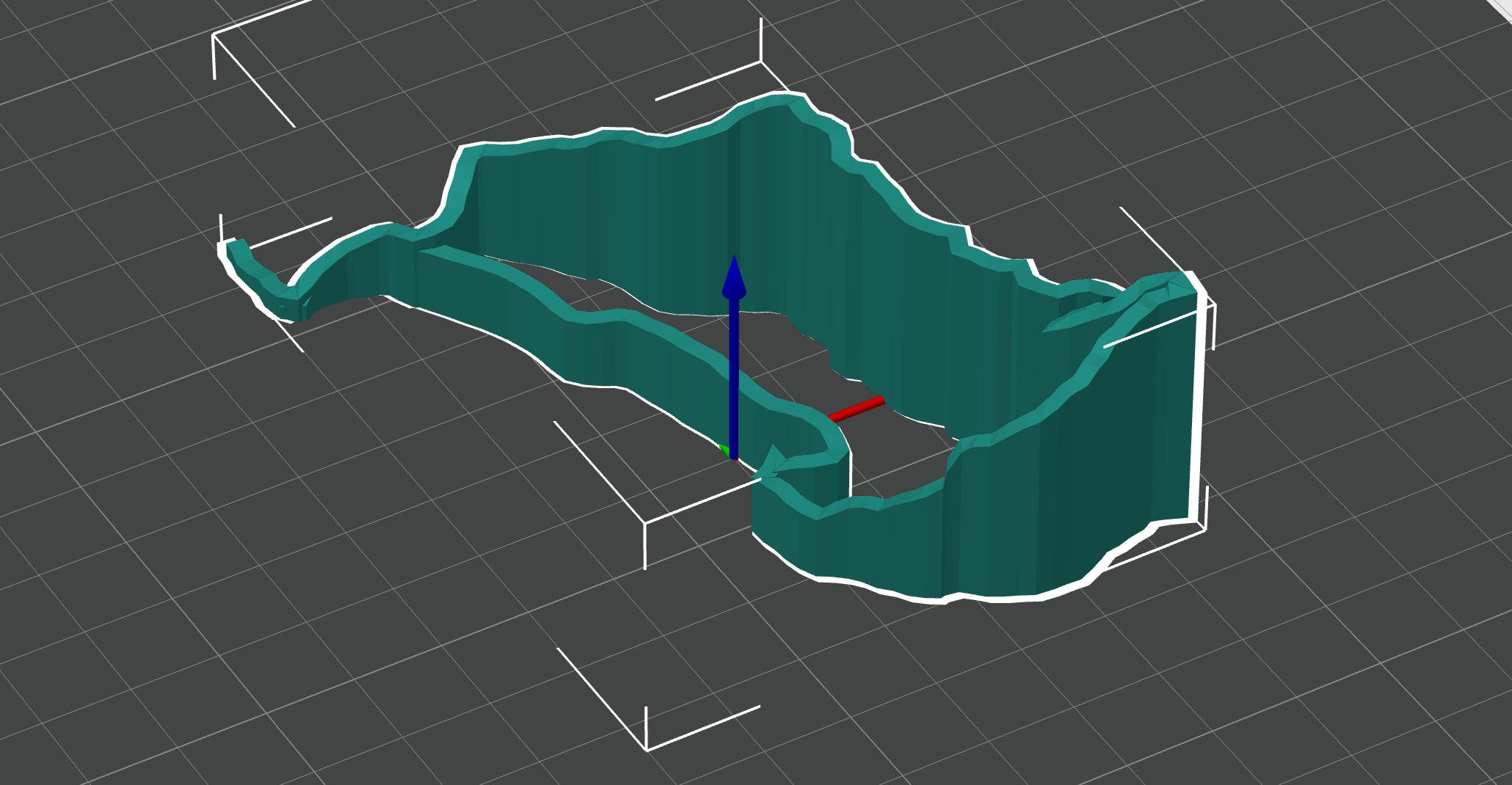
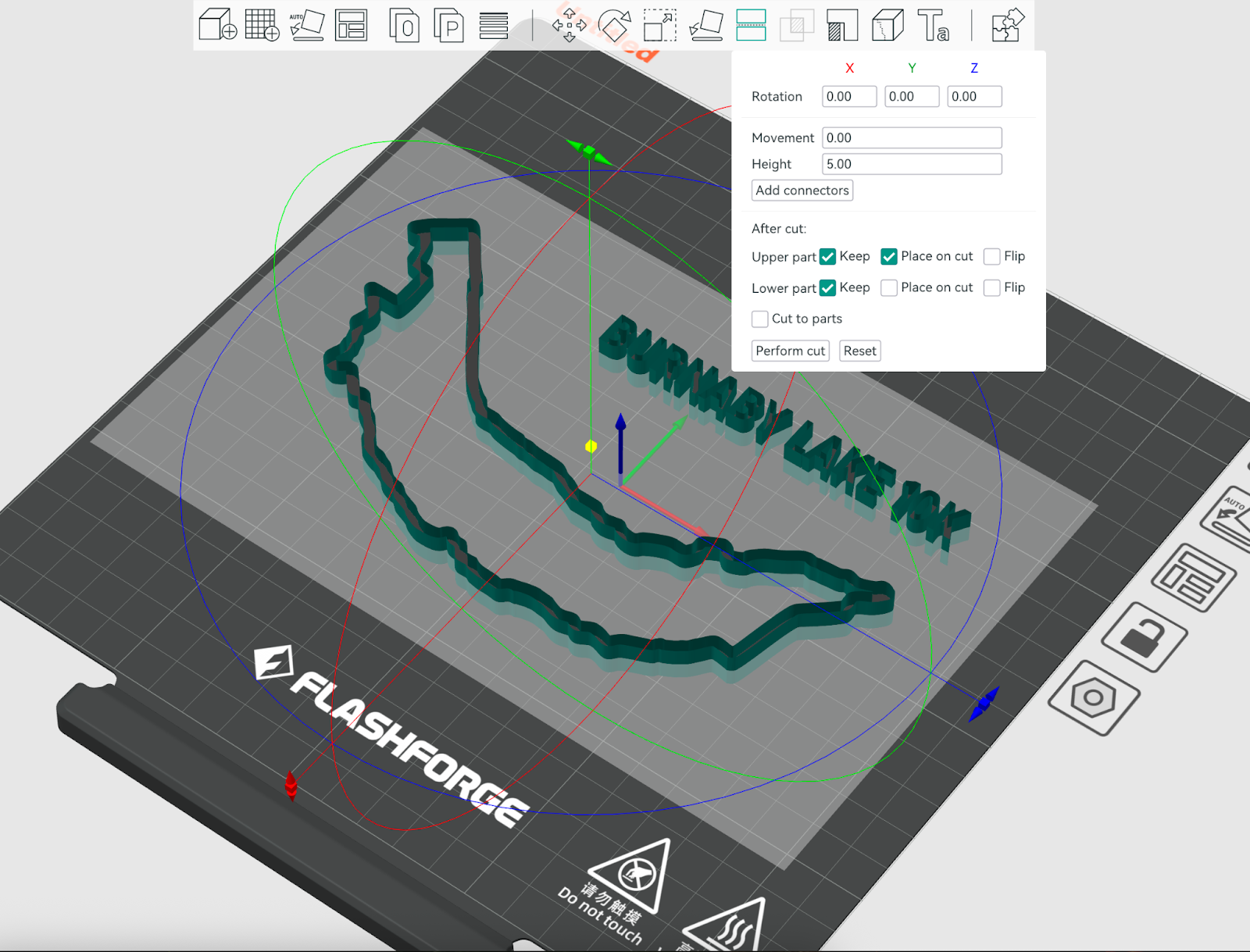
So now I got some reasonable 3d printable trail map, which you can see below in OrcaSlicer:
Step 3: Topological Base
Next, I wanted to take this even further and generate a topological map, potentially with buildings. Turns out there is an add-on “Blender GIS” for Blender software. I had to register at https://opentopography.org/ in order to get an API key for retrieval of topology. This is where things got a bit more complicated. Specifically, I could print buildings but the elevation wasn’t printing.
Next I had to export this into another STL with buildings on top of the topology.

Step 4: Merging in Orca Slicer
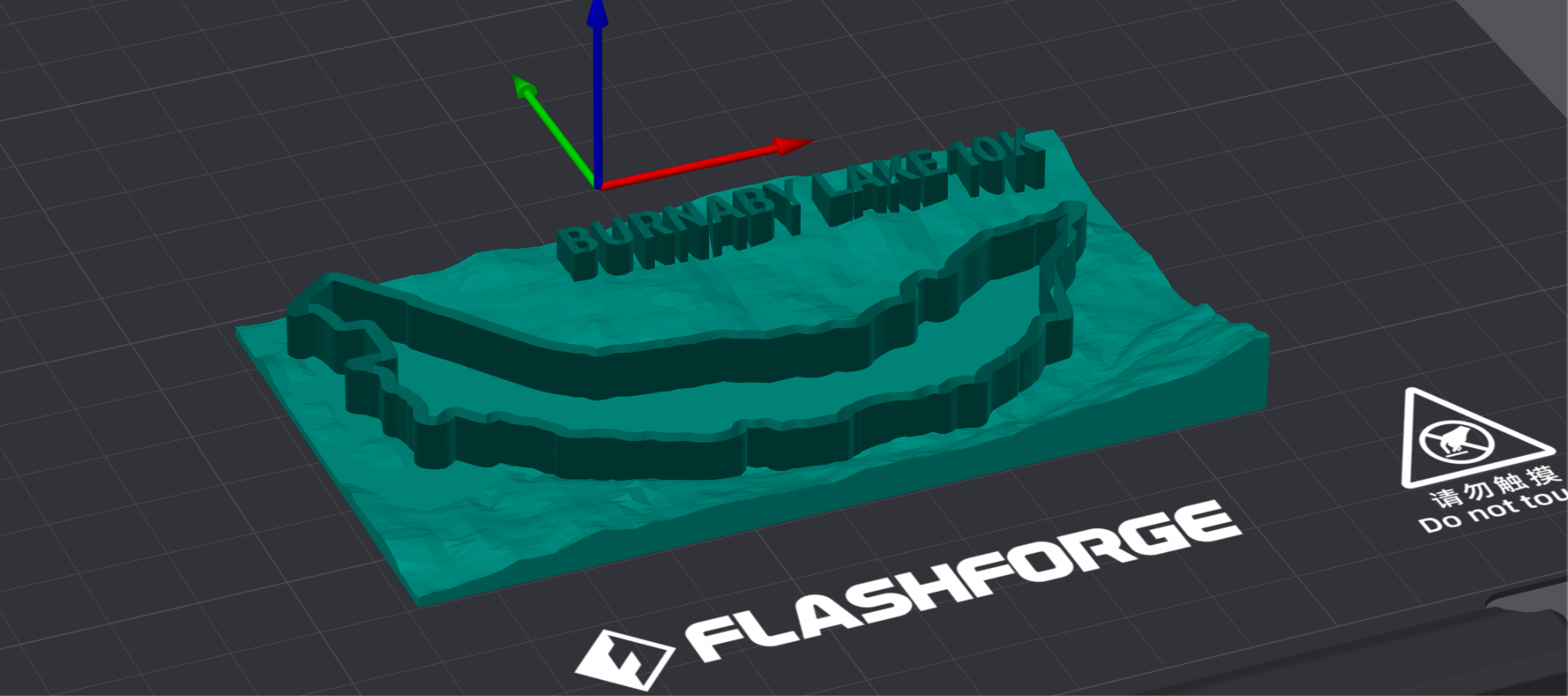
Now that I had different objects prepared, I went to add them to Orca Slicer. The most challenging part with terrain was that it wasn’t printing because it was just a surface floating in the air instead of filled-in mesh, so the technique that worked for me was to assemble Cube and meshed terrain from Blender and then do Mesh binary difference between the two, leaving the bottom part of the Cube that was sliced by the terrain. This is what I got in the model:
Step 5: Printing
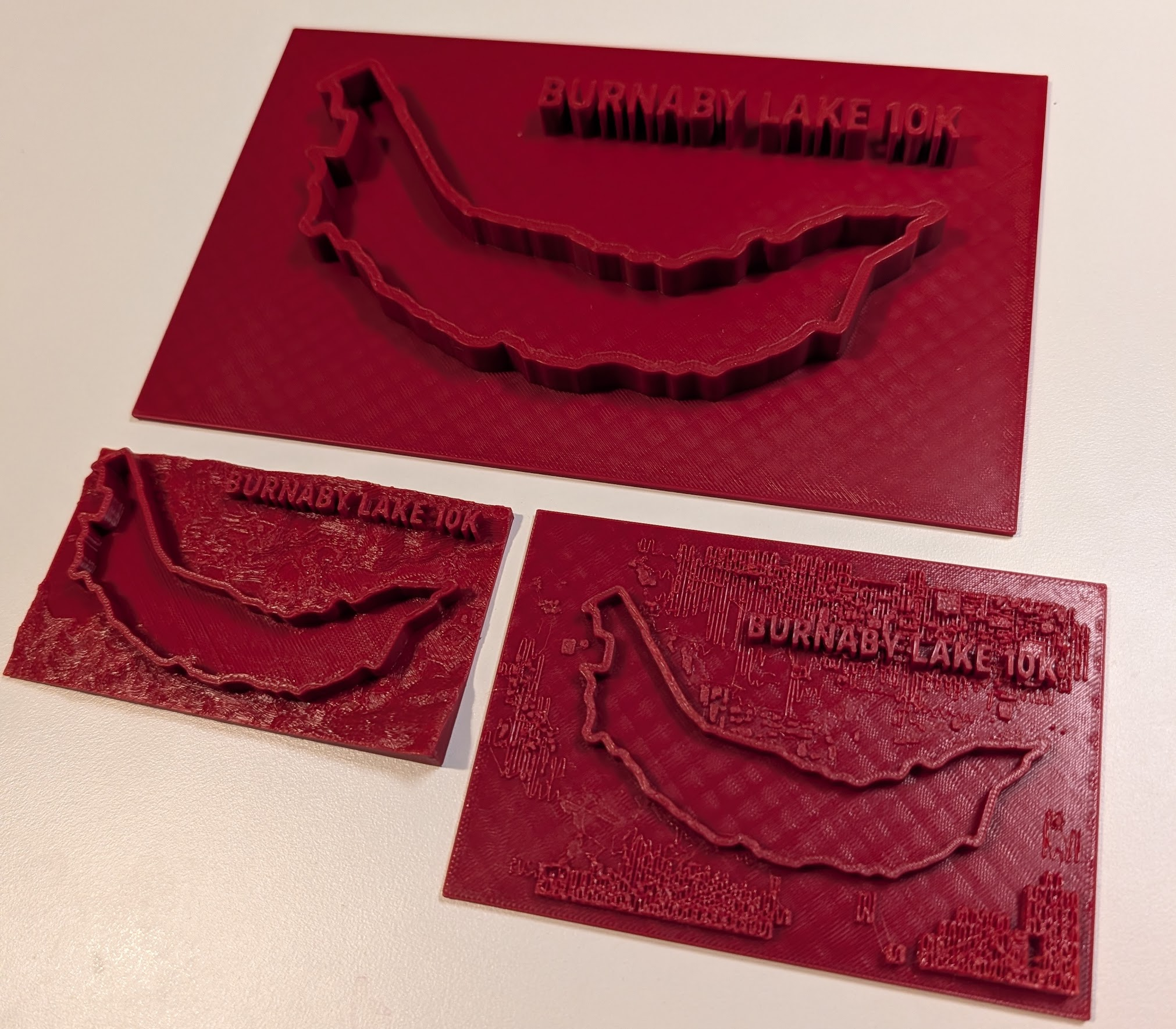
Turns out that printing tiny buildings actually doesn’t work too well so I stopped on just using the terrain and the trail. Here are 3 results:
Step 6: Strava Plugin: trail to 3D Model
Registered with strava API, then vibe-coded the tool that retrieves GPS coordinates and changes them to SVG. SVG is already importable into Orca slicer and Blender.
Here is the git repo: https://github.com/andriybuday/strava/tree/main/strava-plugin
It would take another day to actually make properly working nice plugin, but next time around I would have some building blocks in place.
Yesterday’s activity on strava: https://www.strava.com/activities/16326534438
Same activity after running my tool and manual overlap with terrain:

Conclusion
I think my conclusion is that building things is cool. In this post I was able to combine wild usage of AI for image augmentation, vibe-coding python to convert SVG to STL, vibe-coding STRAVA integration, and a bunch of googling & LLM-ing to find answers to my questions, and then sitting with my daughter and fighting Mesh boolean operation. Cool stuff.
P.S. Found this tool that almost does what I’ve done here except it doesn’t export the entire terrain: https://gpxtruder.xyz/ Result of exporting of my today’s hike: