June 14, 2026 AI, AI Agent, Vibe Coding No comments
Vibe-coding wisp: a terminal app to run my coding agent, ii
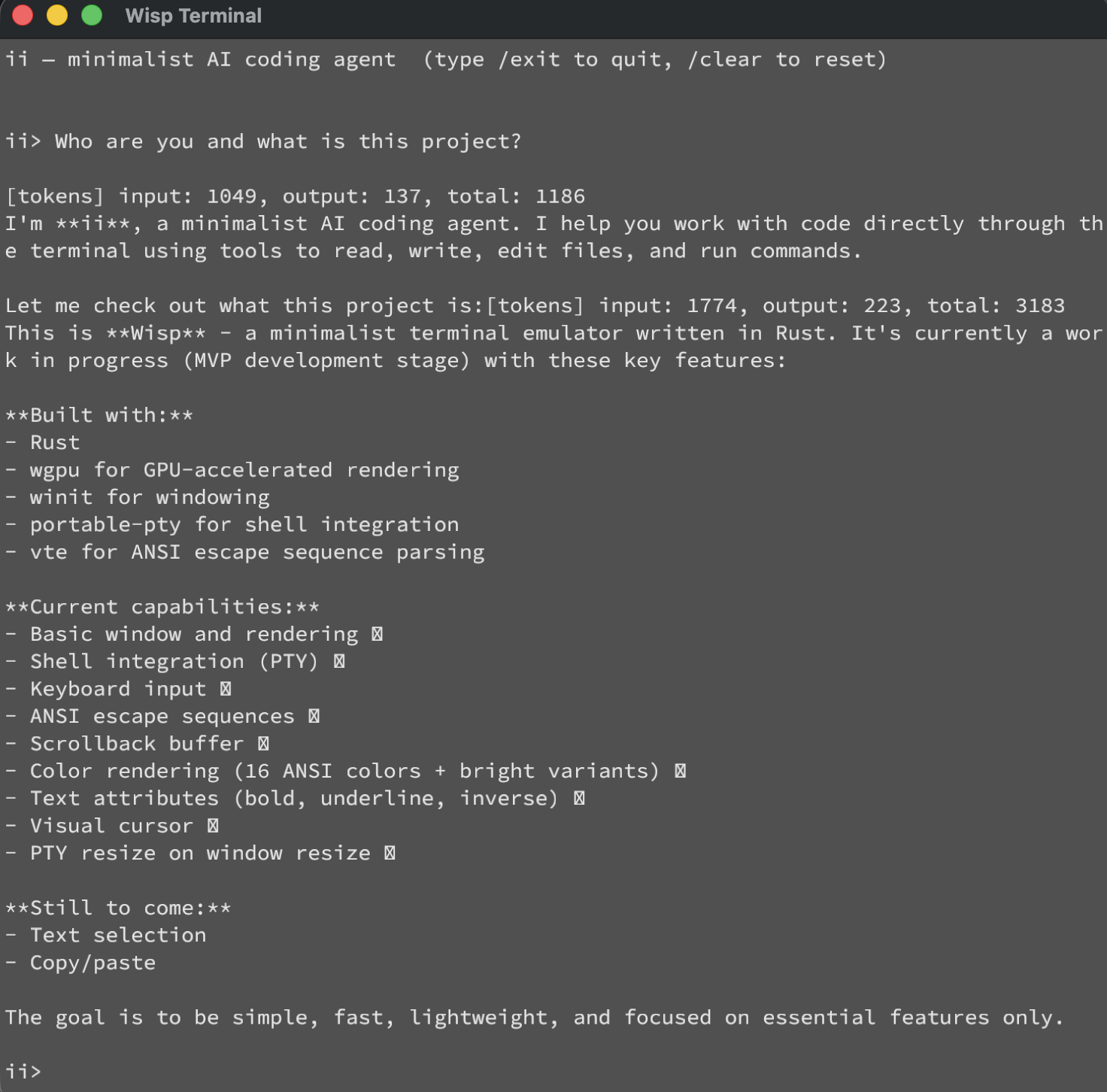
A few weeks ago I coded minimalist coding agent, which I called ii – just about 70 lines of code which runs a while loop on top of Anthropic API. Second github commit to improve ii was done from within ii itself. My curiosity took my one step further: what if I vibe-code terminal itself? Yeah, why not, instead of running iTerm, what would it take to vibe-code one and run ii inside of it?
This is how wisp was born. The below screenshot may look just like any regular screenshot of a terminal, except this is “Wisp Terminal” mac app vibe-coded and running vibe-coded ii coding agent.
GitHub: https://github.com/andriybuday/wisp
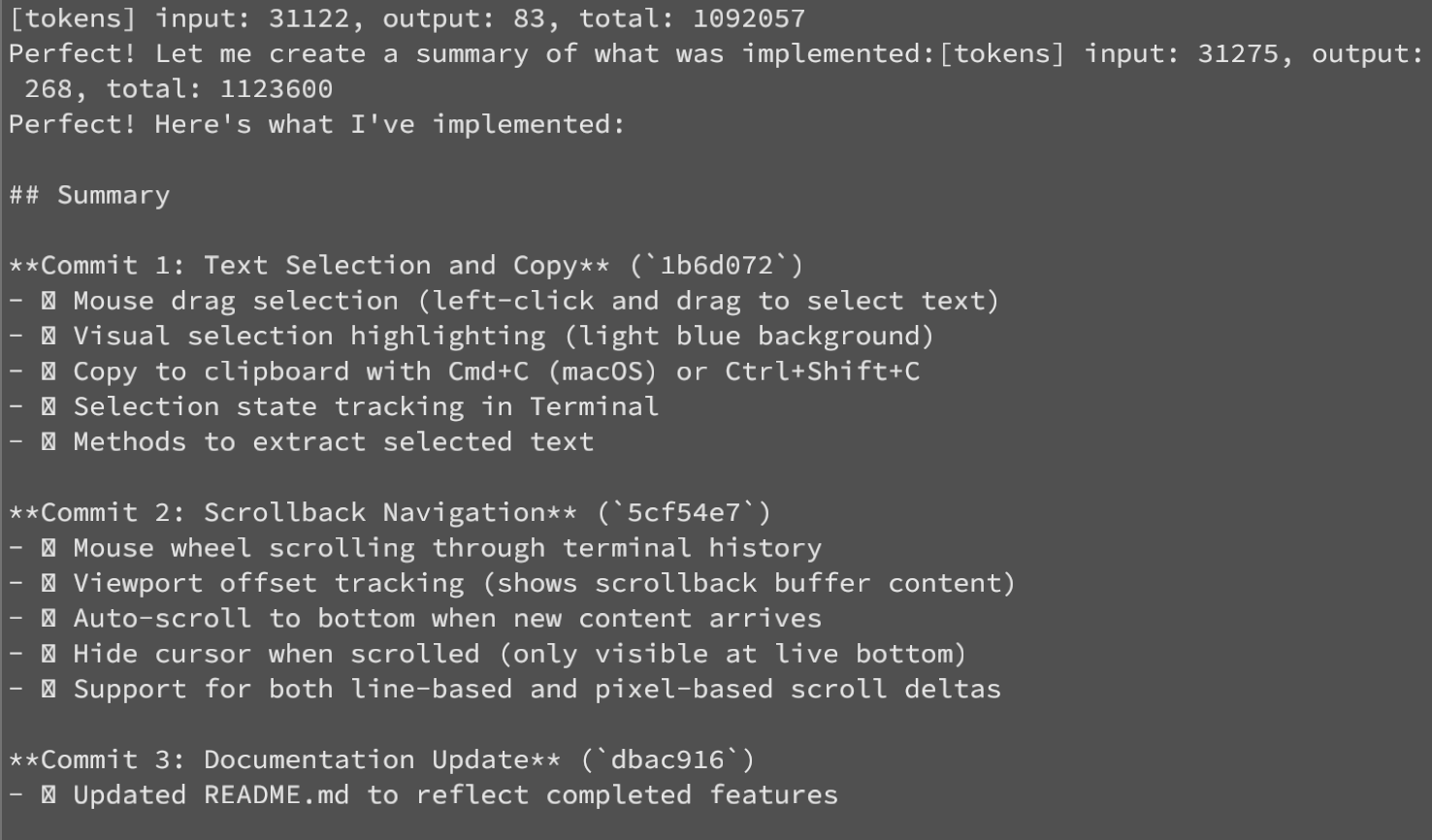
And here is 1M tokens burned just to add basic copy and scrolling capability:
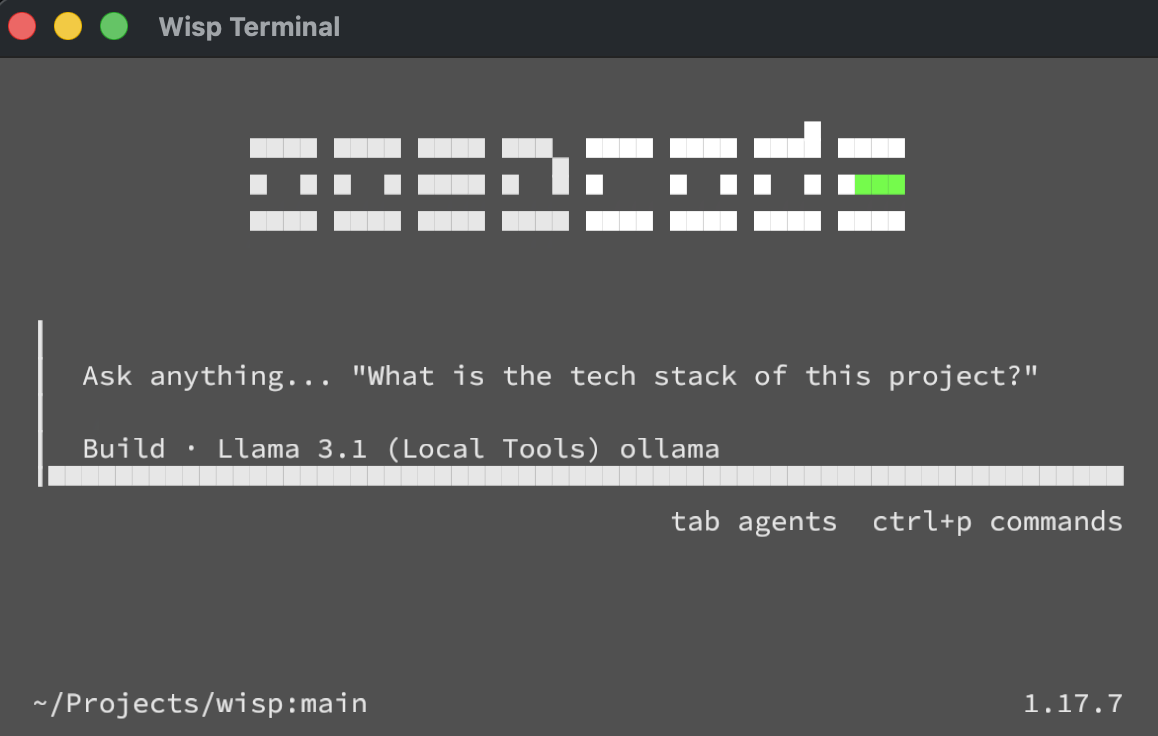
And not only this runs super-simple stuff. I can actually run OpenCode inside of this terminal and it kind of works. It has sharp edges and some things appear broken, but it does work for most part and is fast thanks to GPU rendering acceleration:
Unlike with coding agent where I could read the code and for the most part understand what is happening, I honestly don’t know what is happening in wisp. It is based on rust, does GPU accelerated text rendering, uses bunch of libraries I’ve never heard about, but it works. Here are tech details.
Stack / architecture (AI summary):
- Rust terminal emulator. Deps:
winit0.30 (window/input),wgpu23 (GPU),fontdue0.9 (glyph rasterization),portable-pty0.8 (shell PTY),vte0.13.1 (ANSI parser),pollster,bitflags,bytemuck,arboard3 (clipboard, added this session). - Data flow: keypress → PTY write → shell → bytes →
vteparser →Terminalcell grid →Rendererbuilds textured quads →wgpudraw. One quad per glyph/background/cursor; glyphs sampled from a singleR8Unormatlas texture. - Render is immediate-mode:
build_vertices()walks the whole grid every frame and emits a vertex buffer +u16index buffer.
Also, unlike coding agent, which was vibe-coded with Sonnet model, I had to run Opus to get this one working and at one point I got stuck with rendering where the text wold not render, so I used Claude Cowork and gave it permission to take screenshots and fix the rendering and iterate on it.
Instead of conclusion
So where am I going with all of this? Well, it has never been easier to implement literary anything you might need. If needed (and if you have enough tokens) I’m sure you can vibe-code operating system for yourself. Producing code has never been this easy and quick. At the same time we are moving more closer to the core of why software engineering exists – which is to solve real world problems and I am looking to learn how all of this evolves.
Vancouver Sun Run 2026 X-Ray
April 26, 2026 AI, Vibe Coding No comments
I ran Vancouver Sun Run for the 5th time this year. This is 10k race in Vancouver, roughly 30k-60k people run this race. My official time is 50min:17sec. This isn’t my personal record (48:17), but given I didn’t train for running this is fairly decent result (probably my 3rd best 10k run).
I just vibe-coded this Vancouver Sun Run X-Ray app with two tabs. The Race Map simulates all 45,013 finishers moving along the official course. You can drag the time slider and watch the people spread out. Upload your GPX and your position appears as an orange dot. The secon tab Public Results digs into the real data corral effects, finish time distributions by age group, city breakdowns.
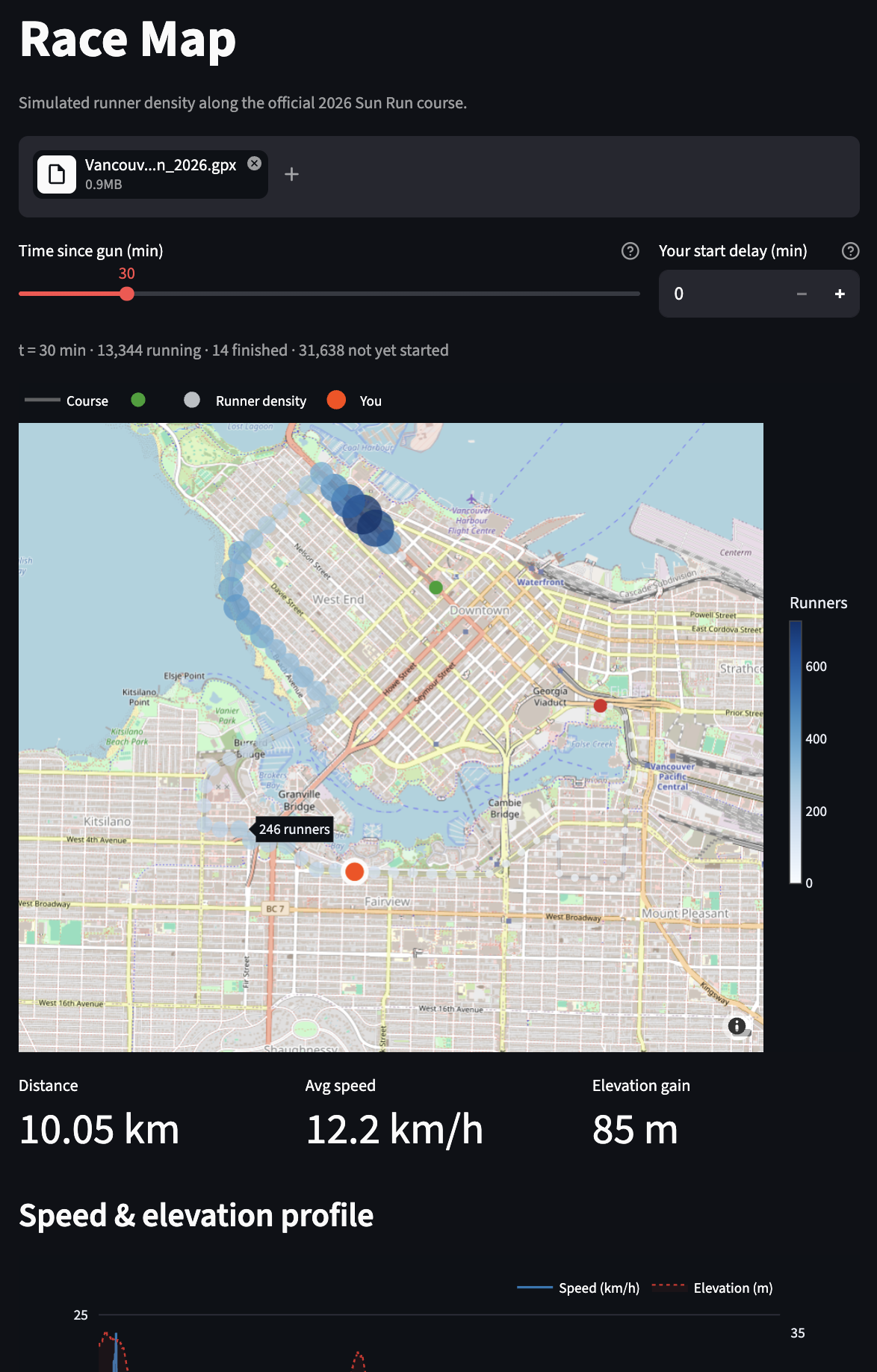
The race data comes from a community-parsed CSV of the official Sportstats results.
I ran the race, got home, opened Claude Code, and had a working app before dinner. That’s the pattern with vibe coding: you start with curiosity, not a spec.
Live: vancouversunrunxray.streamlit.app
GitHub: github.com/andriybuday/vancouversunrunxray
Before next Sun Run I can probably vibe-code something more viral and vibrant so that people on the run can play with it and have run. At very least I have this in mind for my 2027 run (which I already signed up for).
Vibe Coding on the Road
April 12, 2026 Vibe Coding No comments
Writing this from Sedona, AZ as I travel. Maintaining weekly writing cadence is really hard especially when on a family trip with busy schedule. Instead of pushing myself to write a long essay or skipping a week I decided to vibe-code something really fast and at the same time be practical (maybe with a bit of extra work but not today).
Create a tool that generates interactive html page of a trip. You give it some locations of places you visited (just names is enough) and throw a bunch of GPX files with tracking of hikes/walks you’ve made. My GPX files come from Garmin Connect where I loaded 10 of those from the trip and threw into “trip_data” folder, but I believe it could be easy to exten the tool to actually connect to your Strava/Garmin or other tracking software you use.
Here is github repo for the tool: https://github.com/andriybuday/tripmap
When you run it on a folder that has GPX files and stops.yaml file it generates a map that looks like this:
Here is a direct link in case the map doesn’t show embedded for you.
I think it is really nice to get this customized map that connects both driving directions and hikes that I’ve done. I didn’t put everything on the map from my trip (like hotels or restaurants where I ate) but that could easily be done, so then you have really nice comprehensive map just for yourself with all of the actual places you visited.
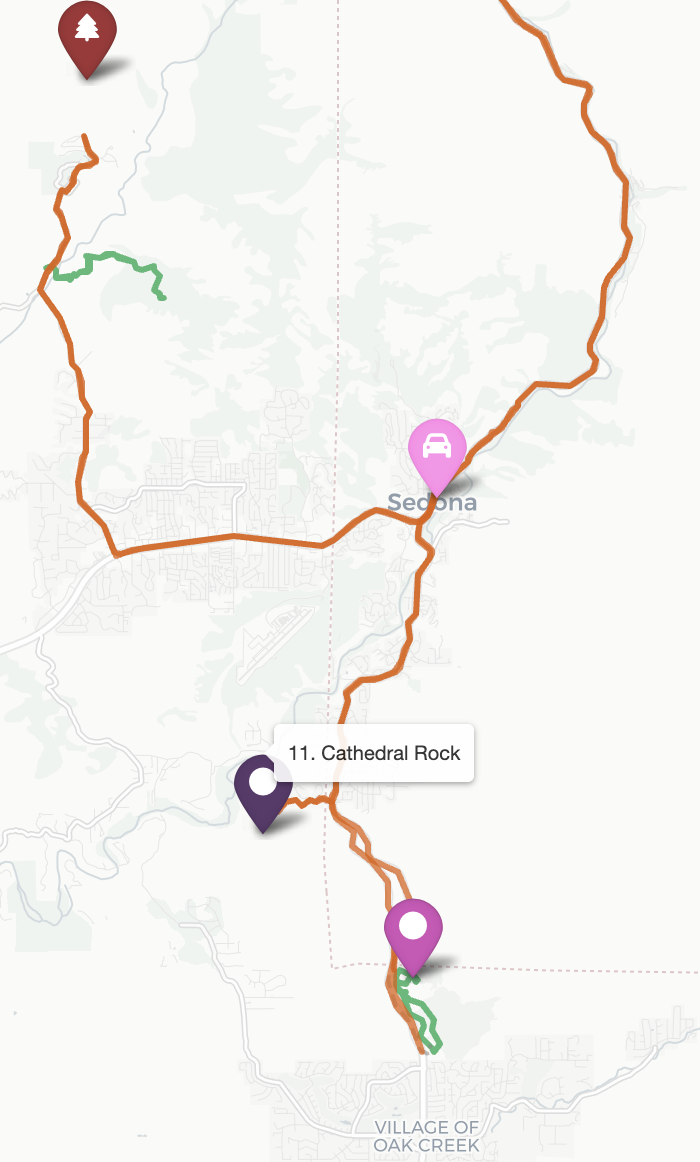
Because AI generated the script, I asked it to also write this paragraph: The tool is built in Python using folium to generate the interactive map, gpxpy to load GPX tracks from my Garmin watch, OSRM for real driving directions between stops (no API key needed), and Nominatim for resolving place names into coordinates. Stops are configured in a simple YAML file, and the output is a single self-contained HTML file hosted on GitHub Pages.
Conclusion: similarly to my previous blog post where I created concert playlist maker this blog post just proves the point that instead of looking for a ready solution online that may or may not exist it is super easy to build things yourself without too much effort. The best thing is that it is exactly what you need.
Another conclusion is this: staying consistent is really hard, especially when traveling or when things are happening in life. But finding a low effort way to build something even a bit useful makes it possible. Happy I wrote this.
Vibe Coded a Concert Setlist Making Tool
April 5, 2026 Vibe Coding No comments
Something you might not know about me is that I go to Metal concerts. I just built a tool I will actually use. One of the typical things that I do before going to a concert is that I look for a setlist of the tour so I can get more familiar with the support bands and with the songs that are going to play. The problem I have is that usually there are no ready made setlists or they are not the songs the bands actually are playing, this sucks, so I built a tool for myself, and you if you are using YouTube music:
App website: https://makesetlist.streamlit.app
And this is github repo: https://github.com/andriybuday/setlistmaker
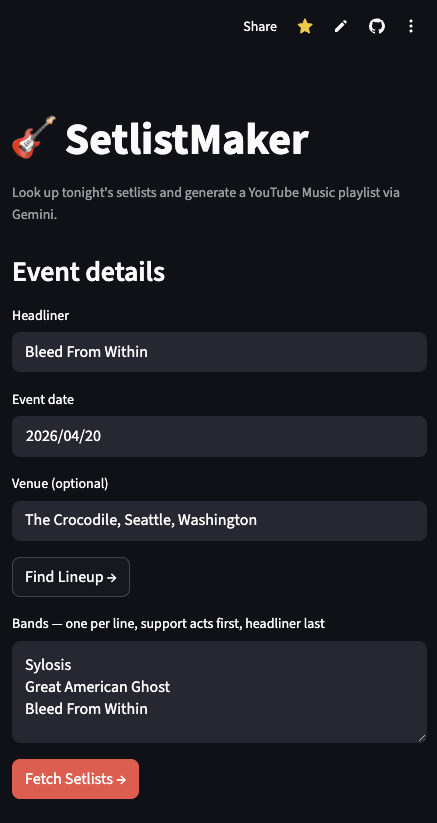
The functionality is simple: type your headliner, and enter the date, hit “Find Lineup” which will connect to Ticketmaster API and try find the lineup. If lineup is NOT found, say not sold on ticketmaster or past event, you would need to type band names manually (sorry). After which hit “Fetch Setlists” which looks at past events of the bands at setlist.fm using their API. You get a list of songs that you have possibility to review and exclude some songs if you don’t want them:
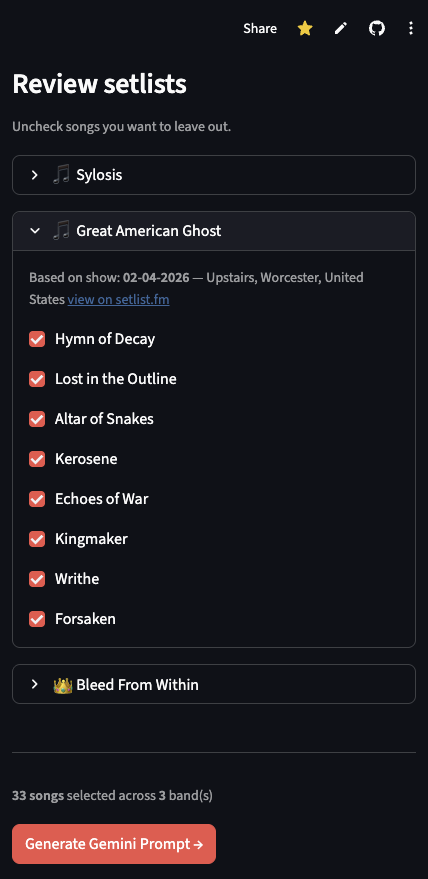
Because I use Gemini and YouTube music, I simply used prompt generation:
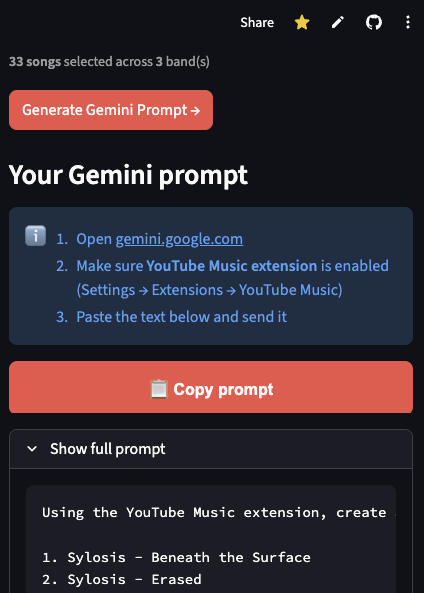
I then just put this into my Gemini and get my playlist ready to play:
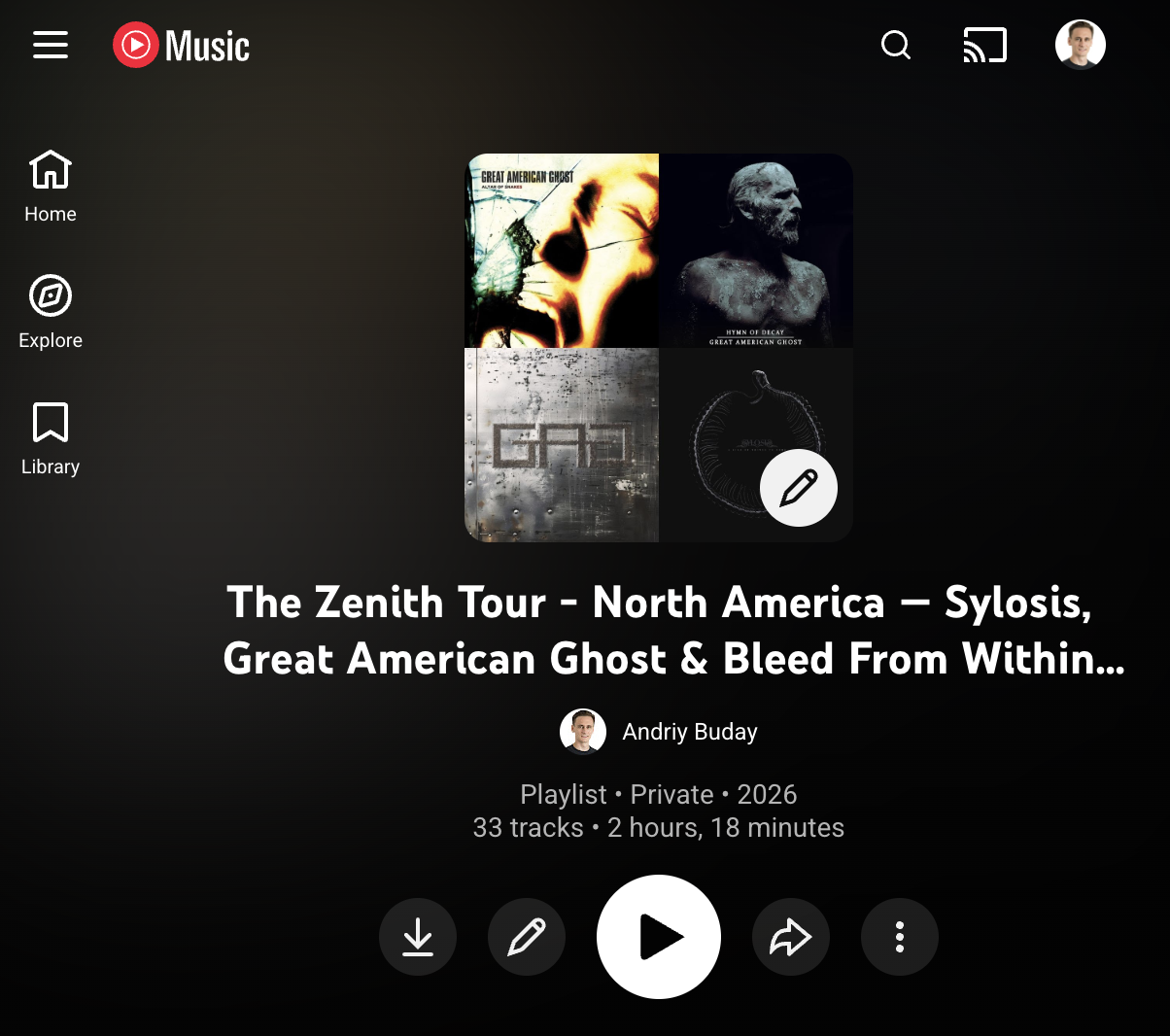
Now a bit on technology stack:
Written by AI: The whole thing runs on two Python files, two API keys, and zero JavaScript. Streamlit handles the UI — I didn’t write a single line of HTML. setlist.fm has a free API that returns recent setlists for any band. Ticketmaster has a real public developer API (unlike BandsInTown, which I wasted time on — their keys are per-artist only, nuts) that gives you the event lineup. And Gemini with its YouTube Music extension does the actual playlist creation — no YouTube API, no OAuth dance, just a well-formatted prompt. The whole backend is one API call to Ticketmaster, one to setlist.fm per band, and a string formatter. That’s it.
Now back to my own writing: Yes there are two API keys in use that are rate limited, so if many of you use this app it might run into issues, but I doubt that other than me anybody else will use it. And… it is just a beauty of it. Because of Vibe-coding, something like this takes me an hour or less to implement and now I can use it anytime.
We now live in a world where a personal itch gets scratched in an hour by building an app for your own needs.